Senile Team
Fighting Game Engine - Released: 2003
Emulators
openbor
openbor-specific-version
File folder
No BIOS required.
RetroBat lets users run a dedicated OpenBOR version for a specific game, any version can be launched from RetroBat.
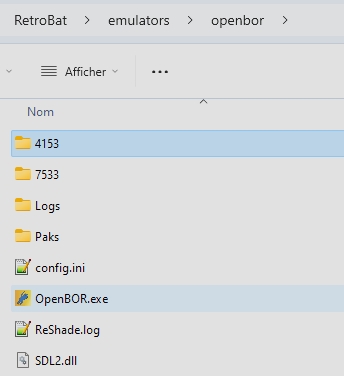
To do so, you need first to download the required OpenBOR version you want to run and place it within the emulators\openbor directory, in a subfolder identified by the version number (maximum 4 digits):
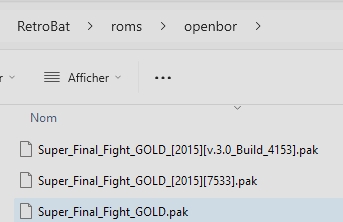
Then, the next step is to assign the game to the specific version you want to run when launching the game, to do so, specify the name of the openBOR version to use between brackets ( "[" and "]" )in the game filename:
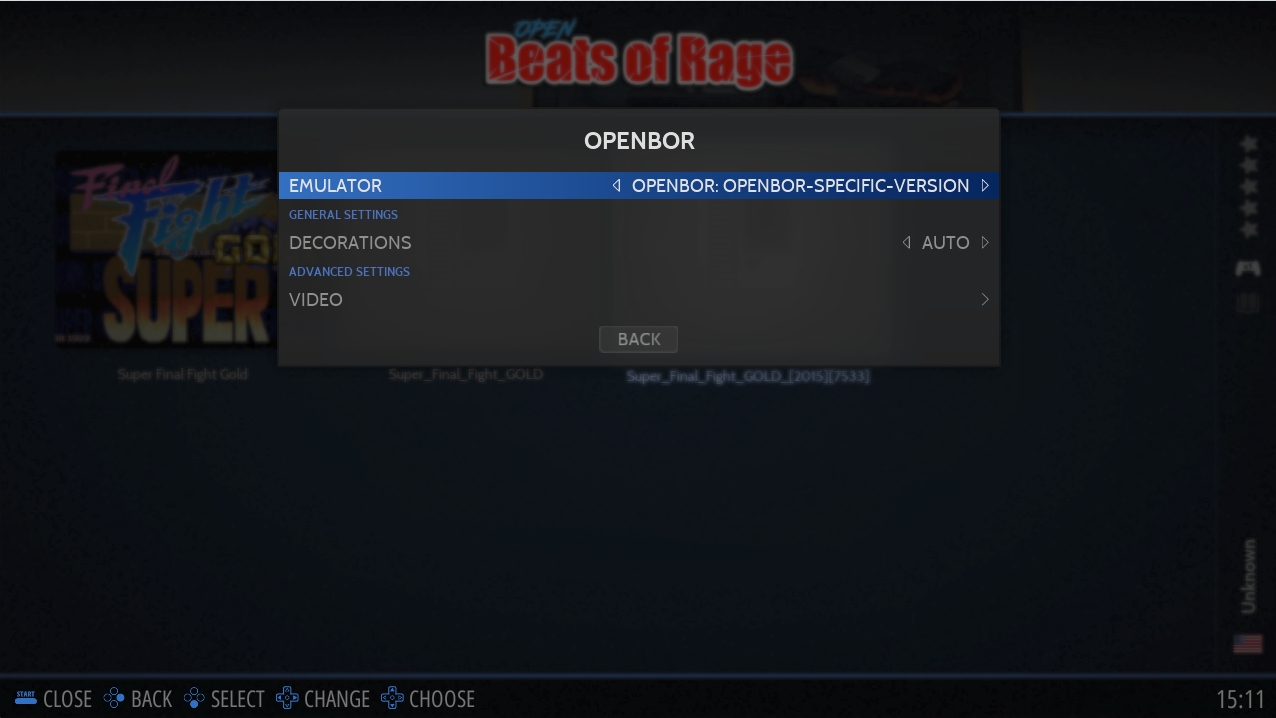
Finally, in RetroBat, select the emulator called "openbor-specific-version", and run the game:
Attack
Jump
Attack 2
Special
L1
Attack 4
R1
Attack 3
L2
R2
L3
R3
📂 roms \ 📂 openbor
File extension
.pak .exe
START
START
SELECT
ESC
D-PAD
D-PAD
Left analog stick
DIRECTIONS
Right analog stick