> For the complete documentation index, see [llms.txt](https://wiki.retrobat.org/llms.txt). Markdown versions of documentation pages are available by appending `.md` to page URLs; this page is available as [Markdown](https://wiki.retrobat.org/francais/systemes-and-emulateurs/supported-game-systems/arcade/namco-246-256.md).

# Namco 246/256

<div align="left"><figure><img src="https://raw.githubusercontent.com/fabricecaruso/es-theme-carbon/91d85c7849cc550b0cac4e75cb8e0923d3b61b5e/art/logos/namco2x6.svg" alt="" width="563"><figcaption></figcaption></figure></div>

Émulateur de jeux d'arcade basé sur le hardware Playstation

{% embed url="<https://fr.wikipedia.org/wiki/System_246>" %}

## Information

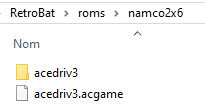
<table data-header-hidden><thead><tr><th width="224"></th><th></th></tr></thead><tbody><tr><td><strong>Émulateurs</strong></td><td><ul><li>play</li><li>teknoparrot</li></ul></td></tr><tr><td><strong>Dossier des jeux</strong></td><td><span data-gb-custom-inline data-tag="emoji" data-code="1f4c2">📂</span> roms \ <span data-gb-custom-inline data-tag="emoji" data-code="1f4c2">📂</span> namco2x6</td></tr><tr><td><strong>Extensions</strong></td><td>.zip .m3u</td></tr></tbody></table>

la liste des jeux compatible est disponible dans le répertoire suivant : `\emulators\play\arcadedefs`

{% hint style="danger" %}
Ne pas renommer les fichiers zip, le nom du fichier doit être exactement celui attendu par l'émulateur.
{% endhint %}

## Fonctionnalités

<table><thead><tr><th width="212">Succès Rétro</th><th width="210">Parties en Réseau</th><th>Auto configuration des contrôles</th></tr></thead><tbody><tr><td>NON</td><td>NON</td><td>OUI</td></tr></tbody></table>

## Bios

Pas de BIOS requis.

## Contrôles

Il est possible de créer votre propre profil de touches depuis l'émulateur (pour chaque jeu), puis de le nommer à l'identique du fichier du jeu, pour qu'il soit chargé directement par RetroBat dans play lors du lancement du jeu.

Pour cela, placer le fichier .xml du profil à charger dans le répertoire suivant : `\emulators\play\Play Data Files\inputprofiles`:

<div align="left"><figure><img src="https://i.imgur.com/2F3itrK.png" alt=""><figcaption><p>Exemple d'un profil de touches pour le jeu Bloady Roar 3</p></figcaption></figure></div>

{% hint style="info" %}
S'il n'existe pas de profil de touche pour un jeu, RetroBat configure un profil par défaut (Retrobat.xml) identique à la Playstation 2.
{% endhint %}

## Informations spécifiques au système

### Faire fonctionner un jeu qui ne possède pas de fichier ZIP

Pour les jeux sans .zip, créer un fichier .m3u nommé comme le nom du profile arcade.

Ces noms peuvent se trouver dans le dossier`emulators\play\arcadedefs`.


---

# Agent Instructions
This documentation is published with GitBook. GitBook is the documentation platform designed so that both humans and AI agents can read, navigate, and reason over technical content effectively. Learn more at gitbook.com.

## Querying This Documentation
If you need additional information that is not directly available in this page, you can query the documentation dynamically by asking a question.

Perform an HTTP GET request on the current page URL with the `ask` query parameter:

```
GET https://wiki.retrobat.org/francais/systemes-and-emulateurs/supported-game-systems/arcade/namco-246-256.md?ask=<question>
```

The question should be specific, self-contained, and written in natural language.
The response will contain a direct answer to the question and relevant excerpts and sources from the documentation.

Use this mechanism when the answer is not explicitly present in the current page, you need clarification or additional context, or you want to retrieve related documentation sections.